Εμφάνιση αναρτήσεων με ετικέτα Τεχνολογία. Εμφάνιση όλων των αναρτήσεων

Παρασκευή, Ιουλίου 30, 2021

SYSADMIN DAY 2021


System Administrator Appreciation Day
July 30, 2021 – 22nd Annual

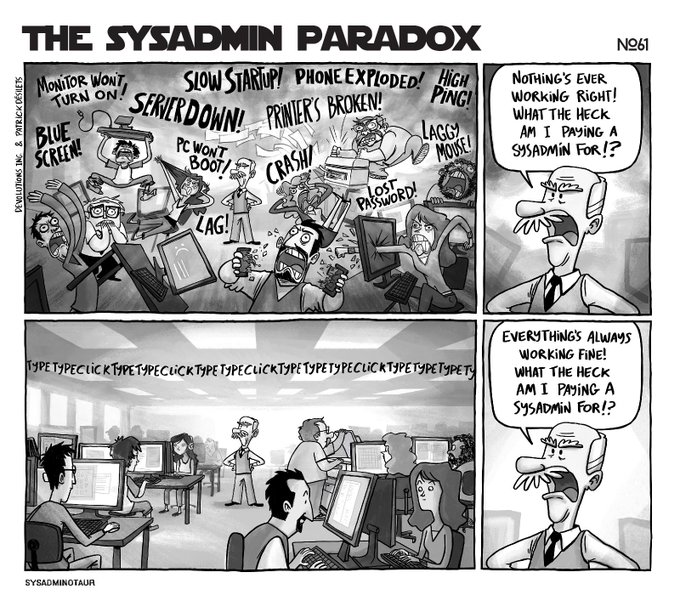
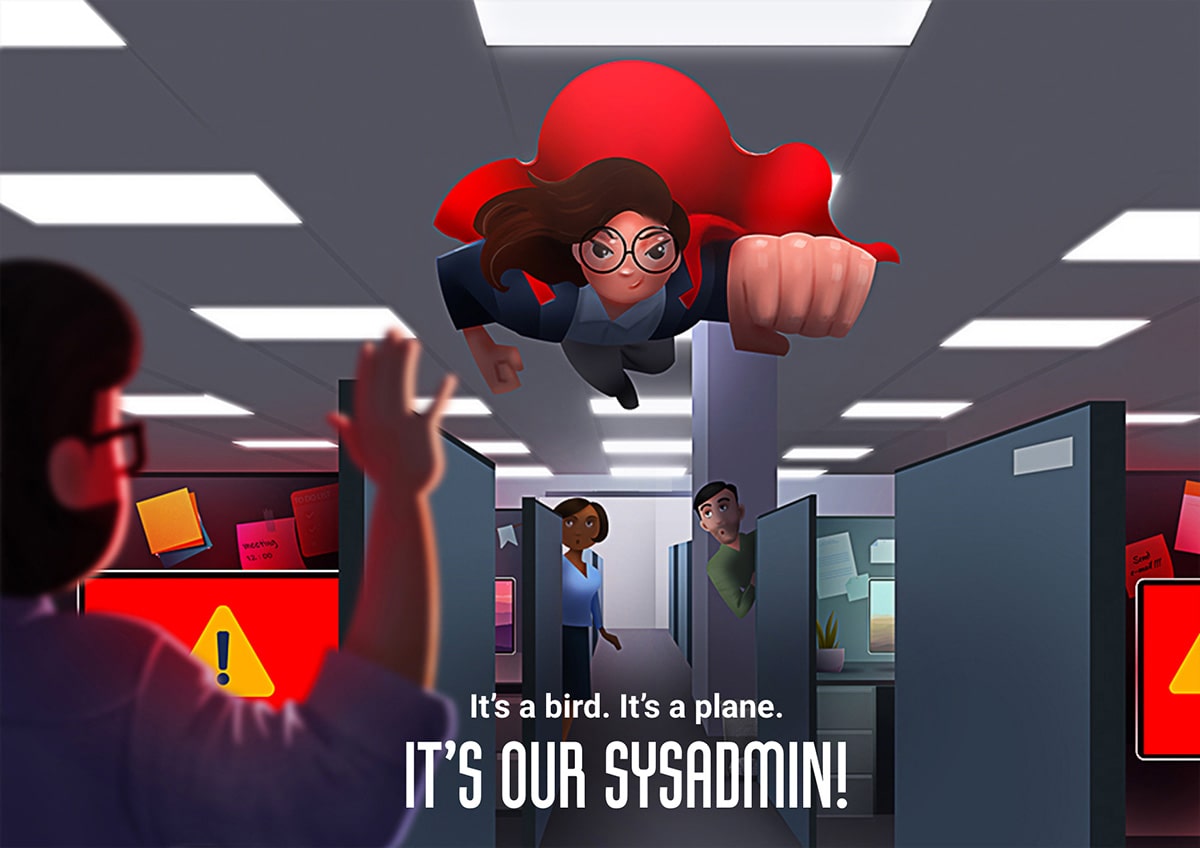
Your network is secure, your computer is up and running, and your printer is jam-free. Why? Because you’ve got an awesome sysadmin (or maybe a whole IT department) keeping your business up and running. So say IT loud; say IT proud …

Happy SysAdmin Day!

Wait… what exactly is SysAdmin Day? Oh, it’s only the single greatest 24 hours on the planet… and pretty much the most important holiday of the year. It’s also the perfect opportunity to pay tribute to the heroic men and women who, come rain or shine, prevent disasters, keep IT secure and put out tech fires left and right.

At this point, you may be thinking, “Great. I get it. My sysadmin is a rock star. But now what?” Glad you asked! Proper observation of SysAdmin Day includes (but is not limited to):

  • Cake & Ice cream
  • Pizza
  • Cards
  • Gifts
  • Words of gratitude
  • Custom t-shirts celebrating the epic greatness of your SysAdmin
  • Balloons
  • Confetti
  • Did I say gifts

Show your appreciation

Friday, July 30, 2021, is the 22nd annual System Administrator Appreciation Day. On this special international day, give your System Administrator something that shows that you truly appreciate their hard work and dedication. (All day Friday, 24 hours, your own local time-zone).

Let’s face it, System Administrators get no respect 364 days a year. This is the day that all fellow System Administrators across the globe, will be showered with expensive sports cars and large piles of cash in appreciation of their diligent work. But seriously, we are asking for a nice token gift and some public acknowledgement. It’s the least you could do.

Consider all the daunting tasks and long hours (weekends too.) Let’s be honest, sometimes we don’t know our System Administrators as well as they know us. Remember this is one day to recognize your System Administrator for their workplace contributions and to promote professional excellence. Thank them for all the things they do for you and your business.

Παρασκευή, Ιουλίου 31, 2020

SYSADMIN DAY 2020


System Administrator Appreciation Day
July 31, 2020 – 21st Annual

Your network is secure, your computer is up and running, and your printer is jam-free. Why? Because you’ve got an awesome sysadmin (or maybe a whole IT department) keeping your business up and running. So say IT loud; say IT proud …

Happy SysAdmin Day!

Wait… what exactly is SysAdmin Day? Oh, it’s only the single greatest 24 hours on the planet… and pretty much the most important holiday of the year. It’s also the perfect opportunity to pay tribute to the heroic men and women who, come rain or shine, prevent disasters, keep IT secure and put out tech fires left and right.

At this point, you may be thinking, “Great. I get it. My sysadmin is a rock star. But now what?” Glad you asked! Proper observation of SysAdmin Day includes (but is not limited to):

  • Cake & Ice cream
  • Pizza
  • Cards
  • Gifts
  • Words of gratitude
  • Custom t-shirts celebrating the epic greatness of your SysAdmin
  • Balloons
  • Confetti
  • Did I say gifts

Show your appreciation

Friday, July 31, 2020, is the 21st annual System Administrator Appreciation Day. On this special international day, give your System Administrator something that shows that you truly appreciate their hard work and dedication. (All day Friday, 24 hours, your own local time-zone).

Let’s face it, System Administrators get no respect 364 days a year. This is the day that all fellow System Administrators across the globe, will be showered with expensive sports cars and large piles of cash in appreciation of their diligent work. But seriously, we are asking for a nice token gift and some public acknowledgement. It’s the least you could do.

Consider all the daunting tasks and long hours (weekends too.) Let’s be honest, sometimes we don’t know our System Administrators as well as they know us. Remember this is one day to recognize your System Administrator for their workplace contributions and to promote professional excellence. Thank them for all the things they do for you and your business.

Παρασκευή, Ιουλίου 26, 2019

SYSADMIN DAY 2019


System Administrator Appreciation DayJuly 26, 2019 – 20th Annual

Your network is secure, your computer is up and running, and your printer is jam-free. Why? Because you’ve got an awesome sysadmin (or maybe a whole IT department) keeping your business up and running. So say IT loud; say IT proud …

Happy SysAdmin Day!

Wait… what exactly is SysAdmin Day? Oh, it’s only the single greatest 24 hours on the planet… and pretty much the most important holiday of the year. It’s also the perfect opportunity to pay tribute to the heroic men and women who, come rain or shine, prevent disasters, keep IT secure and put out tech fires left and right.
At this point, you may be thinking, “Great. I get it. My sysadmin is a rock star. But now what?” Glad you asked! Proper observation of SysAdmin Day includes (but is not limited to):
  • Cake & Ice cream
  • Pizza
  • Cards
  • Gifts
  • Words of gratitude
  • Custom t-shirts celebrating the epic greatness of your SysAdmin
  • Balloons
  • Confetti
  • Did I say gifts

Show your appreciation

Friday, July 26, 2019, is the 20th annual System Administrator Appreciation Day. On this special international day, give your System Administrator something that shows that you truly appreciate their hard work and dedication. (All day Friday, 24 hours, your own local time-zone).
Let’s face it, System Administrators get no respect 364 days a year. This is the day that all fellow System Administrators across the globe, will be showered with expensive sports cars and large piles of cash in appreciation of their diligent work. But seriously, we are asking for a nice token gift and some public acknowledgement. It’s the least you could do.
Consider all the daunting tasks and long hours (weekends too.) Let’s be honest, sometimes we don’t know our System Administrators as well as they know us. Remember this is one day to recognize your System Administrator for their workplace contributions and to promote professional excellence. Thank them for all the things they do for you and your business.

Τετάρτη, Μαρτίου 20, 2019

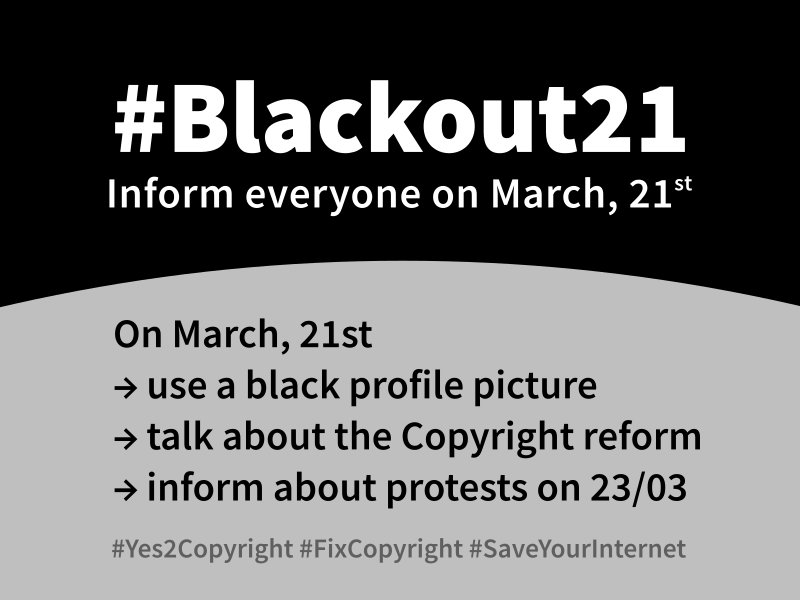
#SaveYourInternet


Την επόμενη εβδομάδα ψηφίζεται στην Ευρωβουλή η νέα κοινοτική νομοθεσία για τα πνευματικά δικαιώματα που περιλαμβάνει και το άρθρο 13. Αν υπερψηφιστεί το internet στην Ευρώπη δεν θα είναι πια όπως το ξέρουμε μέχρι σήμερα.
Αύριο 21/3, υπάρχει η πανευρωπαϊκή μέρα κινητοποίησης-ενημέρωσης
Δείτε τα σχετικά βιντεάκια

και τις σχετικές ενημερωτικές ιστοσελίδες όπως το saveyourinternet.eu
Δείτε τα τώρα για να μην πέφτετε από τα σύννεφα την επόμενη εβδομάδα..

Πέμπτη, Αυγούστου 31, 2017

ΚΟΨΙΜΟ ΔΙΑΦΗΜΙΣΕΩΝ ΜΕ NO ROOT FIREWALL ΣΕ (ΚΙΝΕΖΙΚΟ) ANDROID


Αν έχετε κάποιο smartphone κινεζικής προέλευσης (που είναι ψιλομονόδρομος τελευταία με τα χρήματα που έχει διαθέσιμα ο κόσμος) είναι αρκετά πιθανό να έχετε έρθει αντιμέτωποι με το φαινόμενο των συνεχών και αδιάκοπων pop ups που δεν σταματάνε με κανένα antivirus, antimalware, cleaner κλπ

Μια που είδα το πρόβλημα και μου έσπασε τα νεύρα το καλοκαίρι ας δώσω τη λύση, που τουλάχιστον δείχνει να δουλεύει σε κινητά της DOOGEE .(την ιδέα την πήρα ψάχνοντας σε forum όπως αυτό)

Tο πρόβλημα λοιπόν είναι μια διεργασία συστήματος που πρέπει να μην έχει πρόσβαση στο internet και αυτή είναι η com.android.snap .
Μπορούμε να κόψουμε την πρόσβαση σε αυτήν με τη βοήθεια του NoRoot Firewall, που είναι όπως λέει και το όνομά του ένα old school firewall που δε χρειάζεται root access και κάνει αυτό που θέλουμε. Κάθε εφαρμογή που θέλει να βγει στο internet πρέπει να πάρει το ok από το NoRoot για να βγει, διαφορετικά απλά δεν έχει πρόσβαση .
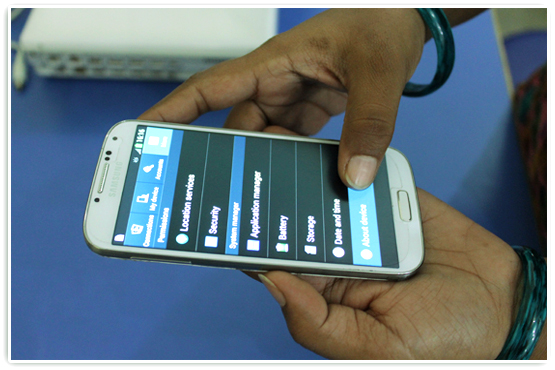
Επιπρόσθετα μπορεί να γίνει και απενεργοποίηση της συγκεκριμένης εφαρμογής μέσα από 'Ρυθμίσεις - Εφαρμογές - Εμφάνιση συστήματος' και σκρολάροντας μέχρι το com.android.snap
 

Παρασκευή, Ιουλίου 28, 2017

SYSADMIN DAY 2017


July 28, 2017 – 18th Annual

System AdministratorAppreciation Day

Your network is secure, your computer is up and running, and your printer is jam-free. Why? Because you’ve got an awesome sysadmin (or maybe a whole IT department) keeping your business up and running. So say IT loud; say IT proud …

Happy SysAdmin Day!

Wait… what exactly is SysAdmin Day? Oh, it’s only the single greatest 24 hours on the planet… and pretty much the most important holiday of the year. It’s also the perfect opportunity to pay tribute to the heroic men and women who, come rain or shine, prevent disasters, keep IT secure and put out tech fires left and right.
At this point, you may be thinking, “Great. I get it. My sysadmin is a rock star. But now what?” Glad you asked! Proper observation of SysAdmin Day includes (but is not limited to):
  • Cake & Ice cream
  • Pizza
  • Cards
  • Gifts
  • Words of gratitude
  • Custom t-shirts celebrating the epic greatness of your SysAdmin
  • Balloons
  • Confetti
  • Did I say gifts

Show your appreciation


Friday, July 28, 2017, is the 18th annual System Administrator Appreciation Day. On this special international day, give your System Administrator something that shows that you truly appreciate their hard work and dedication. (All day Friday, 24 hours, your own local time-zone).
Let’s face it, System Administrators get no respect 364 days a year. This is the day that all fellow System Administrators across the globe, will be showered with expensive sports cars and large piles of cash in appreciation of their diligent work. But seriously, we are asking for a nice token gift and some public acknowledgement. It’s the least you could do.
Consider all the daunting tasks and long hours (weekends too.) Let’s be honest, sometimes we don’t know our System Administrators as well as they know us. Remember this is one day to recognize your System Administrator for their workplace contributions and to promote professional excellence. Thank them for all the things they do for you and your business.

Παρασκευή, Ιουλίου 29, 2016

SYSADMIN DAY 2016

Σήμερα είναι η τελευταία Παρασκευή του Ιουλίου και συνεπώς είναι και η System Administrator Appreciation Day ή SysAdmin Day όπως έχει καθιερωθεί εδώ και 17 χρόνια . Χρόνια πολλά σε όλους τους System Administrators !!


July 29, 2016 – 17th Annual

System Administrator
Appreciation Day

Your network is secure, your computer is up and running, and your printer is jam-free. Why? Because you’ve got an awesome sysadmin (or maybe a whole IT department) keeping your business up and running. So say IT loud; say IT proud …

Happy SysAdmin Day!

Wait… what exactly is SysAdmin Day? Oh, it’s only the single greatest 24 hours on the planet… and pretty much the most important holiday of the year. It’s also the perfect opportunity to pay tribute to the heroic men and women who, come rain or shine, prevent disasters, keep IT secure and put out tech fires left and right.
At this point, you may be thinking, “Great. I get it. My sysadmin is a rock star. But now what?” Glad you asked! Proper observation of SysAdmin Day includes (but is not limited to):
  • Cake & Ice cream
  • Pizza
  • Cards
  • Gifts
  • Words of gratitude
  • Custom t-shirts celebrating the epic greatness of your SysAdmin(s)
  • Balloons
  • Streamers
  • Confetti

Show your appreciation


Friday, July 29, 2016, is the 17th annual System Administrator Appreciation Day. On this special international day, give your System Administrator something that shows that you truly appreciate their hard work and dedication. (All day Friday, 24 hours, your own local time-zone).
Let’s face it, System Administrators get no respect 364 days a year. This is the day that all fellow System Administrators across the globe, will be showered with expensive sports cars and large piles of cash in appreciation of their diligent work. But seriously, we are asking for a nice token gift and some public acknowledgement. It’s the least you could do.
Consider all the daunting tasks and long hours (weekends too.) Let’s be honest, sometimes we don’t know our System Administrators as well as they know us. Remember this is one day to recognize your System Administrator for their workplace contributions and to promote professional excellence. Thank them for all the things they do for you and your business.

Παρασκευή, Ιουλίου 31, 2015

SYSADMIN DAY 2015

Σήμερα είναι η τελευταία Παρασκευή του Ιουλίου, συνεπώς είναι και η SysAdmin Day για το 2015 (αφού παραδοσιακά είναι η τελευταία Παρασκευή του Ιουλίου)

July 31, 2015 - 16th Annual System Administrator Appreciation Day

A sysadmin unpacked the server for this website from its box, installed an operating system, patched it for security, made sure the power and air conditioning was working in the server room, monitored it for stability, set up the software, and kept backups in case anything went wrong. All to serve this webpage.
A sysadmin installed the routers, laid the cables, configured the networks, set up the firewalls, and watched and guided the traffic for each hop of the network that runs over copper, fiber optic glass, and even the air itself to bring the Internet to your computer. All to make sure the webpage found its way from the server to your computer.
A sysadmin makes sure your network connection is safe, secure, open, and working. A sysadmin makes sure your computer is working in a healthy way on a healthy network. A sysadmin takes backups to guard against disaster both human and otherwise, holds the gates against security threats and crackers, and keeps the printers going no matter how many copies of the tax code someone from Accounting prints out.
A sysadmin worries about spam, viruses, spyware, but also power outages, fires and floods.
When the email server goes down at 2 AM on a Sunday, your sysadmin is paged, wakes up, and goes to work.
A sysadmin is a professional, who plans, worries, hacks, fixes, pushes, advocates, protects and creates good computer networks, to get you your data, to help you do work — to bring the potential of computing ever closer to reality.
So if you can read this, thank your sysadmin — and know he or she is only one of dozens or possibly hundreds whose work brings you the email from your aunty on the coast, the instant message from your son at college, the free phone call from the friend in America, and this webpage.

Παρασκευή, Ιουλίου 25, 2014

SYSADMIN DAY & ...SYSMAS 2014


Σήμερα είναι η τελευταία Παρασκευή του Ιουλίου και συνεπώς και η Sysadmin day, δηλαδή η System Administrator Appreciation Day).
Διαβάστε περισσότερα εδώ http://sysadminday.com/


Μάλιστα φέτος είχαμε και ... Sysmas κατά το Christmas με δωδεκαήμερο που κορυφώθηκε σήμερα :-)

Τρίτη, Ιανουαρίου 21, 2014

ΤΕΛΟΣ ΤΟ LOGMEIN FREE ..

Ένα από τα σημαντικότερα και παλιότερα εργαλεία για απομακρυσμένη διαχείριση, σταμάτησε να έχει την free version του από σήμερα ..
Το Logmein υπήρχε σε free έκδοση εδώ και 10 χρόνια  και σταμάτησε να υπάρχει ως τέτοιο από σήμερα με ειδοποίηση που ήρθε σήμερα ... Αυτό είναι τουλάχιστον απαράδεκτο..

Αυτή είναι η ειδοποίηση που βλέπει κανείς όταν πάει να συνδεθεί και έχει υπολογιστές για να ελέγχει μέσα από το free account .

ενώ αυτό είναι το ενημερωτικό mail που απέστειλε το Logmein στους χρήστες ...
Η υπόθεση με το Logmein είχε αρχίσει να ψιλοστραβώνει όταν πριν 10 μήνες ανακοινώθηκε η αλλαγή με τον περιορισμό των 10 pc σε logmein free ανά λογαριασμό ( a change to the company's LogMeIn Free remote-access product: Instead of using it on unlimited PCs, customers would be limited to 10 PCs each). 

Πλέον η αναζήτηση εναλλακτικής για όποιον θέλει κάτι τέτοιο χωρίς να πληρώνει αδρά, είναι μονόδρομος, και οι άνθρωποι του teamviewer ή του ammyy μάλλον θα τρίβουν τα χέρια τους .
(Δείτε κι ένα παλιό συγκριτικό)
http://logmein-free.en.softonic.com/compare/teamviewer,ammyy-admin


Δείτε και τη σχετική συζήτηση στο twitter
https://twitter.com/search?q=%23logmeinfree&src=typd
(#logmeinfree )

Σάββατο, Ιανουαρίου 04, 2014

ΣΥΓΧΡΟΝΙΣΜΟΣ OUTLOOK ΣΕ SAMSUNG GALAXY S4 & ΜΕΤΑΦΟΡΑ ΕΠΑΦΩΝ-SMS ΑΠΟ NOKIA ΣΕ ANDROID

1/ Συγχρονισμός Outlook σε Samsung Galaxy S4 με Android 4.3 & Kies 3.0

Αν αποφασίσατε και πήρατε Samsung Galaxy S4 -που μόνο φθηνή λύση δεν είναι- και θέλετε να κάνετε συγχρονισμό με τις επαφές και τα ημερολόγια του Outlook που έχετε πχ στο pc του γραφείου σας, θα διαπιστώσετε (μαλλον μετά φρίκης) πως από τη στιγμή που η συσκευή έχει Android 4.3 και πρέπει να συγχρονίσει μέσω του kies 3, πολύ απλά ΔΕΝ συγχρονίζει -μέχρι νεωτέρας- με outlook .

Διαβάστε το σχετικό

Samsung admits Outlook sync issue with Android 4.3 update

Μια αξιοπρεπέστατη, λειτουργική και κυρίως free λύση είναι ο συγχρονισμός μέσω του -γνωστού σε πολλούς που είχαν παλιότερα sony ericsson κινητά- my phone explorer. Χρειάζεται πρώτα να ενεργοποιηθεί το usb debugging
που για να γίνει χρειάζεται να πατήσετε επτά φορές (το γιατί τέτοιο σύστημα, άλλη κουβέντα) το 'Build Number' (συνήθως η επιλογή κάτω από το kernel version)  και μετά να τσεκάρετε το 'Allow usb debugging' ('Να επιτρέπεται ο εντοπισμός σφαλμάτων μέσω USB').


Κατεβάζετε το My Phone Explorer από το επίσημο download link . Για να κάνει συγχρονισμό με το outlook, απλά αλλάζουμε τη default ρύθμιση στα settings για το sync, από το "Only MyPhoneExplorer" σε Outlook 2010.

2/ Μεταφορά επαφών & sms από Nokia symbian phone σε Android

Χρησιμοποιώντας το  Nokia Suite (101 MB ) που υπάρχει στο site της Nokia, συνδέετε το παλιό nokia-symbian κινητό στο pc σας και αφού συγχρονίσετε (αν δεν το έχετε ήδη κάνει), κάνετε κι ένα backup τα δεδομένα μέσα από το πρόγραμμα και σημειώνεται το φάκελο (by default είναι στο Nokia Suite\Backups μέσα στο My Documents / Documents. Τις επαφές μπορείτε να τις μεταφέρετε με τη διαδικασία που περιγράφεται εδώ . (Επιλέγουμε όλες τις επαφές και τις κάνουμε drag & drop σε κάποιο φάκελο στο pc μας. Μετά συνδέουμε το νέο κινητό με usb, τις μεταφέρουμε με copy-paste σε κάποιο folder και από το μενού των επαφών επιλέγουμε προσθήκη επαφών και δίνουμε το folder στο οποίο βάλαμε τις επαφές . Σημείωση, το nokia suite συγχρονίζει ΜΟΝΟ τις επαφές που ΔΕΝ είναι στη SIM. Όσες είναι στη SIM, απλά θα μεταφερθούν 'παραδοσιακά' όταν βάλετε τη sim στο νέο κινητό . Αν αλλάζετε και sim μαζί με συσκευή, θα πρέπει τότε οι επαφές να γίνουν επαφές συσκευής αντί sim πριν, ώστε να μεταφερθούν .

Για τα sms τώρα, κατεβάζετε το nbu explorer, που από την έκδοση 3.0 και μετά υποστηρίζει και φορμάτ για το sms backup & restore app . Επειδή βγάζει και διάφορα μαζί το κανονικό install, καλύτερα προτιμήστε να πάτε Browse All Files -> Releases -> v30  και κατεβάζετε το
NbuExplorer_v3.0.zip

Μέσα από αυτό (δε χρειάζεται εγκατάσταση) πάτε στο tab των messages και πατάτε για export από εκεί που είναι σημαδεμένο με κόκκινο στην εικόνα, ώστε να έχετε επιλογή 'save as type : Android 'SMS Backup & Restore' XML format'. Σώζετε τα sms, κατεβάζετε την εφαρμογή SMS Backup & Restore στο android κινητό σας, μεταφέρετε μέσω usb ή άλλου τρόπου το xml που φτιάχθηκε από το nbu explorer στο νέο κινητό και μέσα από την εφαρμογή που κατεβάσατε κάνετε restore υποδεικνύοντας το folder όπου βάλατε το xml που φτιάχθηκε από το nbu explorer .

Κυριακή, Σεπτεμβρίου 15, 2013

DUAL(TRIPLE) BOOT ΜΕ WINDOWS 7 & 8 (VHD) & UBUNTU


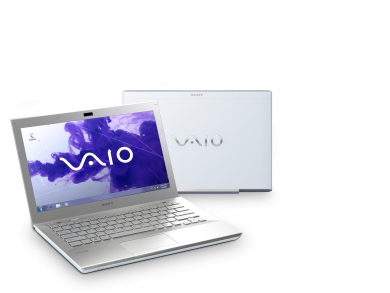
Τις τελευταίες μέρες μια που είχα λίγο χρόνο έκατσα και σουλούπωσα διάφορα στο φορητό μου - ένα Sony VPCSB3L9E (i3-2330M, 500GB HDD, ATI Radeon 6470M, 4GB μνήμη αρχικά που την ανέβασα στα 8 πριν πάρουν φωτιά τα εργοστάσια στην Άπω Ανατολή και οι τιμές την ανιούσα). Είχα σταθερά από την αρχή που το πήρα dual boot με τα εργοστασιακά Windows 7 (Home Premium) και με Ubuntu 12.04, που το αναβάθμισα πρώτα σε 12.10 και τον Απρίλη σε 13.04 .

 Όμως αποφάσισα να γυρίσω στα 12.04, καθώς από το 12.10 και μετά το Ubuntu βάζει υποχρεωτικά το Grub 2.0 που δεν υποστηρίζεται από το Symantec System Recovery που χρησιμοποιώ στα windows για να παίρνω backup .
Ο δίσκος όταν έχει Grub 2.0 στημένο σε αυτόν σε οποιοδήποτε partition δεν είναι ορατός από το Symantec SR και μια που το προτιμώ από άλλα προγράμματα του είδους αποφάσισα να γυρίσω σε Ubuntu με παλιότερη έκδοση Grub, δηλαδή το 12.04 LTS (που άλλωστε έχει και support μέχρι το 2017, ενώ του 13.04 ήταν για 9 μήνες) .

Η εγκατάσταση του Ubuntu σε dual boot περιβάλλον, είναι σχετικά απλή (έως πολύ απλή με next-next-next) αλλά η απεγκατάσταση όχι τόσο . Μπορεί να γίνει μέσα από τα Windows σβήνοντας τα linux partitions, αλλά θα πρέπει είτε να ξαναφτιάξουμε το bootloader με τον δίσκο των Windows 7 γιατί μαζί με τα linux partitions σβήνεται και η εγγραφή των windows κι έτσι δε θα μπορούν να μπουτάρουν. Μπορεί κανείς να ακολουθήσει τη διαδικασία που περιγράφεται αναλυτικά εδώ

Windows 7: Remove Grub - Restore Windows 7

 Εγώ πάντως προτίμησα διαφορετική προσέγγιση από ένα σημείο και μετά.

Αφού έκανα delete τα partitions (τα οποία τα βλέπει ως Healthy αλλά με άγνωστο λειτουργικό, αφού τα Win7 δεν βλέπουν exts by default) μέσα από το Computer Management, δεν έκανα reboot με το δίσκο των Windows, αλλά απλά έτρεξα το Easy BCD (link για download εδώ).

Εκεί απλά πήγα στο BCD Deployment, επέλεξα το δίσκο μου και να κάνω 'Install the Windows Vista/7 bootloader to the MBR'
κι έτσι μετά το reboot το φορητό ξαναμπήκε κανονικά στα Windows 7, ενώ είχα σβήσει το Ubuntu 13.04

Είχα κατεβάσει πριν καιρό το 12.04.2 LTS, το έβαλα σε ένα usb stick που έγινε bootable ακολουθώντας την κλασσική διαδικασία
How to create a bootable USB stick

και έστησα τα 12.04.2, πρακτικά με περίπου next-next-next .
Σημείωση : Πριν σβήσω το 13.04, είχα πάρει backup (μέσα από το backup που δίνει το λειτουργικό) τόσο το /home όσο και τα downloads, κι έτσι μόλις σηκώθηκαν τα 12.04, έκανα restore και είχα τα αρχεία που ήθελα αλλά και τα profile στους browsers (αφού εγκατέστησα ξανά chrome-opera που δεν κατεβαίνουν πια από το ubuntu software center).  Πρέπει να πήρε κάνα μισάωρο η εγκατάσταση, κάνα πεντάλεπτο το restore και κάνα εικοσάλεπτο να κατεβάσει και να εγκαταστήσει τα updates αφού έχει βγει πια η 12.04.3

Ως γνωστό το ubuntu βάζει το grub και κάνει τον εαυτό του default λειτουργικό . Αυτό μπορεί να αλλάξει και με γραφικό περιβάλλον με το Grub Customizer (οδηγίες εδώ) από όπου επιλέγουμε να είναι default τα windows .

Μπορούμε όταν ξαναμπουτάρουμε στα Windows να ξαναπάμε στο EasyBCD και να ξανακάνουμε τη διαδικασία για να ξαναγραφτεί ο Win7 Bootloader στο δίσκο και για να έχουμε προσβασιμότητα στο Ubuntu, να προστεθεί μέσα από το EasyBCD ένα entry για linux partition
Σε μένα όταν επέλεγα type - Grub (Legacy) δεν έπαιξε, αλλά με GRUB2  δούλεψε κανονικά.

edit : Για το γνωστό θέμα του Ubuntu με τις hybrid κάρτες γραφικών στα laptop, ακολούθησα τις οδηγίες από εδώ

The following Instructions below explain how install the latest ATI Catalyst Video driver of Ubuntu 12.04 LTS Precise

και παίζει με τον Catalyst 13.8 driver, ενώ για να δουλεύει η intel graphics card, άλλαξα τις ρυθμίσεις της aticonfig  δίνοντας αυτή για να παίξει η integrated και όχι η discrete :

Code:
aticonfig --pxl # List current activated GPU
sudo aticonfig --px-dgpu # Activate discrete GPU (High-Performance mode), must re-start X to take effect
sudo aticonfig --px-igpu # Activate integrated GPU (Power-Saving mode), must re-start X to take effect

και είχε γύρω στους 10-15 βαθμούς κάτω στη θερμοκρασία ..

Έτσι είχα λοιπόν το dual boot .
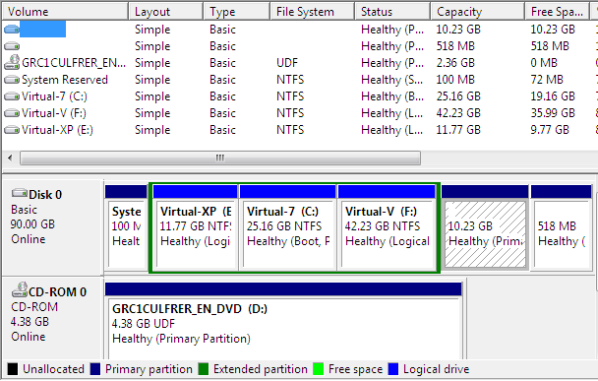
Το ζητούμενο τώρα ήταν να μπορώ να μπουτάρω και σε ένα τρίτο λειτουργικό, ένα virtual μηχάνημα με Windows 8 Pro που είχα φτιάξει παλιότερα .
(Απαραίτητη παρένθεση : Σε ένα μηχάνημα με εγκατεστημένα Windows 7, δεν μπορείς να φτιάξεις virtual που να τρέχει Windows 8 μέσα από το Virtual PC που διαθέτουν. Ούτε με vmware workstation παλιότερης έκδοσης από την 9 -που δεν είναι και free. Οπότε η επιλογή του Virtual Box -που υποστηρίζει και το δικό του format αλλά και .vmdk / .vhd είναι μάλλον μονόδρομος.)

Αναλυτικές οδηγίες για το πως κάνουμε τώρα το .vhd που έχουμε να είναι bootable υπάρχουν εδώ

Add an Existing VHD to Boot off the Metal

Μπαίνει ο bootloader των 8 στο δίσκο και είναι default τα 8άρια - αλλά μπορείς να αλλάξεις ρυθμίσεις μέσα από το boot menu
Στην περίπτωσή μου, επειδή επέλεξα για default τα 7άρια και έκανα μετά το update στο Ubuntu που έκανε με τη σειρά του ξανά update στο grub και το έκανε default, έφυγε από το ξεκίνημα το bootmenu των 8 και όταν επιλέγω το 'Windows 8 loader' βγάζει bootmenu των 7 . Δεν είναι και καταστροφικό και δεν ασχολήθηκα να το σουλουπώσω .

Υ.Γ. Μερικές πληροφορίες χρονομέτρησης ..

 Τα Windows 7 Home Premium, θέλουν 2 λεπτά για να εμφανίσουν το login screen, άλλο 1,5 μετά για να συνδεθούν πχ στο gtalk, και συνολικά γύρω στο 5λεπτο για να έχουν φορτώσει -όσα μύρια τους έχω εγκαταστήσει- και να είναι έτοιμα & λειτουργικά σε ένα browser .

Tο Ubuntu 12.04.3 LTS θέλει 25" για να εμφανίσει login screen και συνολικά στα 40-45" έχει ανοίξει browser κι έχει ενημερώσει και το gmail ..

Tα Windows 8 με τη σειρά τους -κι ενώ τρέχουν από vhd) θέλουν περίπου 45" για να εμφανίσουν login screen και έπειτα γύρω στα 15" για να έχουν ανοίξει λειτουργικά ένα browser .
Παρασκευή, Ιουλίου 26, 2013

SYSADMIN DAY 2013

Σήμερα, τελευταία Παρασκευή του Ιουλίου, είναι η SysAdmin Day για το 2013 (δηλαδή η System Administrator Appreciaton Day)


Διαβάστε περισσότερα από το sysadminday.com

So what the heck is a SysAdmin?

System administrators. IT pros. The IT guy (or IT gal). Techies. They go by a lot of names, but they all pretty much share a common goal: be the fantastic fixers of all things tech. After all, if weren’t for sysadmins, making copies would require a trusty pen, a steady hand, and a ton of patience.

SysAdmins are always on call, whether it’s updating your company’s antivirus software, replacing that toner waste cartridge or repairing a corrupt SQL database. Here’s a bunch of other tasks IT pros do that you might not have even realized:

  • A SysAdmin unpacked the server for this website from its box, installed an operating system, patched it for security, made sure the power and AC were working in the server room, monitored it for stability, set up the software, and kept backups in case anything went wrong. All to serve sysadminday.com.
  • Another SysAdmin installed the routers, laid the cables, configured the networks, set up the firewalls, and watched and guided the traffic for each hop of the network that runs over copper, fiber optic glass, and even the air itself to bring the Internet to your computer.
  • When your network connection is safe, secure, open, and working, you can thank your SysAdmin. They make sure your computer is functioning in a healthy way on a healthy network. They take backups to guard against disaster (both human and otherwise), hold the gates against security threats and crackers (not the salty, crumbly kind), and they keep the printers going no matter how many copies of the tax code someone from accounting prints out.
  • A SysAdmin worries about spam, viruses, spyware, as well as power outages, fires and floods.
  • When the email server goes down at 2 a.m. on a Sunday, your SysAdmin is paged, wakes up, and goes to work.
  • A sysadmin is a pro who plans, worries, hacks, fixes, pushes, advocates, protects and creates good computer networks. Why? To get you your data, help you do your work, and bring the potential of computing ever closer to reality.

So if you’re able to read all of this, thank your SysAdmin — and know he or she is only one in a tech army bringing you the email from your aunt on the West Coast, the instant message from your son at college, the free phone call from the friend in Australia, and this very webpage.

Παρασκευή, Ιουλίου 05, 2013

openSUSE CONFERENCE, ΘΕΣΣΑΛΟΝΙΚΗ 18-22/7

The openSUSE ConferencePower to the Geeko!

On July 18, 2013, hundreds of hackers from around the globe will come to the country where the modern age of reason started. In the place where over 2500 years ago great thinkers sat down and taught the art of logical and critical thinking, we will sit down and talk critically about logic and code.

Τρίτη, Μαρτίου 05, 2013

ΣΤΗ ΒΟΡΕΙΟ ΚΟΡΕΑ ΤΟ PIRATE BAY ?

Σύμφωνα με κάμποσες ενημερωτικές ιστοσελίδες για torrents, το γνωστό Pirate Bay μετακόμισε ή μετακομίζει στη ...Βόρειο Κορέα !

The Pirate Bay Moves to North Korea, Gets ‘Virtual Asylum’

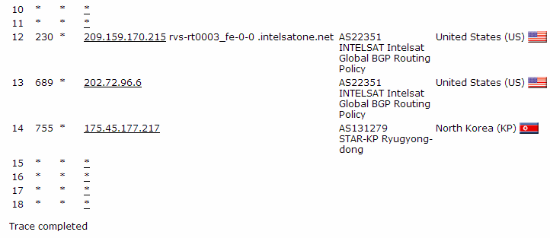
The Pirate Bay says it has been offered virtual asylum in North Korea. The move comes after the Norwegian Pirate Party was forced to stop routing traffic for the infamous BitTorrent site by a local copyright group. “We can reveal that we have been invited by the leader of the Republic of Korea, to fight our battles from their network,” the Pirate Bay says. A traceroute indeed suggests that The Pirate Bay is now being routed through the dictatorial country.

Last week the Swedish Pirate Party was forced to shut down its routing services to The Pirate Bay.

The Party and its leaders took this difficult decision after they were threatened with a lawsuit by a local anti-piracy group.
Luckily for The Pirate Bay, the pirate parties of Norway and Catalunya were willing to take over the role. However, after just a few days the Norwegians had to shut down their Pirate Bay node as well, facing similar threats as their Swedish comrades.
This resulted in some downtime earlier today after which The Pirate Bay returned online from a rather unexpected location.
A Pirate Bay insider informs TorrentFreak that they had been working for a while to get connectivity in North Korea. Today they made the big switch.
“We’ve been in talks with them for about two weeks, since they opened access for foreigners to use 3G in the country,” a Pirate Bay insider told us. “TPB has been invited just like Eric Schmidt and Dennis Rodman. We’ve declined up until now.”
While The Pirate Bay may not visit North Korea, they announce that they are using the country’s network to connect the BitTorrent site to the rest of the world.
“This is truly an ironic situation. We have been fighting for a free world, and our opponents are mostly huge corporations from the United States of America, a place where freedom and freedom of speech is said to be held high.”
“At the same time, companies from that country are chasing a competitor from other countries, bribing police and lawmakers, threatening political parties and physically hunting people from our crew. And to our help comes a government famous in our part of the world for locking people up for their thoughts and forbidding access to information,” they add.
The Pirate Bay says that it sees the current step as one forward for North Korea, and the BitTorrent site hopes that all North Koreans can soon access the site to foster freedom of information.
“We believe that being offered our virtual asylum in Korea is a first step of this country’s changing view of access to information. It’s a country opening up and one thing is sure, they do not care about threats like others do. In that way, TPB and Korea might have a special bond.”
“We will do our best to influence the Korean leaders to also let their own population use our service, and to make sure that we can help improve the situation in any way we can. When someone is reaching out to make things better, it’s also ones duty to grab their hand,” TPB concludes.
It’s worth noting that the Korean connection is used to hide Pirate Bay’s true location. The cloud servers behind it are still believed to be hosted elsewhere in the world.
While it’s hard to believe everything The Pirate Bay says, the site does indeed route through a North Korean netblock at the moment. Wheter it is sanctioned by the authorities, or if there is perhaps some hacking trickery involved is unclear.
However, for some reason we think that Hollywood and the major music labels will have a hard time shutting that node down.
tpb-trace
Update: This is just in, we were unable to verify the legitimacy of the picture.
pirate bay kor


Διαβάστε και

Doubt cast on Pirate Bay's claim to have set up in North Korea (Guardian)

The Pirate Bay: Screw It, We’re Going to North Korea (Except, Probably Not) / gizmodo

The Pirate Bay Moves to ... North Korea? (pcmag)


Δευτέρα, Ιανουαρίου 21, 2013

ΜΑΡΞΙΣΜΟΣ ΚΑΙ ΕΛΕΥΘΕΡΟ ΛΟΓΙΣΜΙΚΟ

Πρόκειται για το δεύτερο μέρος του δοκιμίου του Raoul Victor που δημοσιεύθηκε στη λίστα του oekonux και μετέφρασε στην ελληνική γλώσσα ο Δημήτρης Παλαιοκώστας. Καθώς, για ιστορικούς λόγους, υπάρχει ένας σημαντικός αριθμός ανθρώπων που ασχολήθηκαν με τον Μαρξισμό στη χώρα μας, το δοκίμιο προβάλει μια εξαιρετικά ενδιαφέρουσα οπτική για τις σχέσεις μαρξισμού και ΕΛ/ΛΑΚ.
(αναδημοσίευση από p2pfoundation, ενώ ένα τμήμα του είχε δημοσιευτεί και στο Πριν της 30ης Δεκέμβρη) 

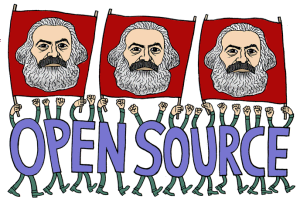
Copyright Mark Alan Stamaty

Θα ασχοληθώ με τρία ερωτήματα Σε ποιο βαθμό ο Μαρξισμός επιβεβαιώνεται από την πραγματικότητα του ελεύθερου λογισμικού; Σε ποιο βαθμό ο Μαρξισμός αμφισβητείται από αυτή την πραγματικότητα ; Ποια σχέση υπάρχει μεταξύ της πάλης των τάξεων και του ελεύθερου λογισμικού;
Αρχικά θα ήθελα να κάνω μερικές παρατηρήσεις σε ότι αφορά το νόημα που προσδίδω στις έννοιες: Ελεύθερο λογισμικό και Μαρξισμός.
Με τον όρο ελεύθερο λογισμικό αντιλαμβάνομαι μία «ηθική» με συγκεκριμένη στάση απέναντι στο λογισμικό. Καταγράφω τέσσερα χαρακτηριστικά 1. Δεν υπόκειται σε σχέσεις εμπορικές σχέσεις αγοραστή/πωλητή 2. Δεν έχει πατρίδα 3. Η συνεργασία αποτελεί τη βάση της δραστηριότητας 4. Η ικανοποίηση της προσφοράς προς την κοινότητα αποτελεί στόχο της παραγωγής
Ο Μαρξισμός είναι σαφώς πιο δύσκολο να κωδικοποιηθεί. Ο Raymond Aron συνήθιζε να λέει ότι ο Μαρξισμός έχει την ιδιαιτερότητα ότι μπορεί να εξηγηθεί σε 5 λεπτά , 5 ώρες , 5 χρόνια ή μισό αιώνα. Εδώ θα ήθελα να κάνω δύο παρατηρήσεις.
-Δεν αποδέχομαι ως Μαρξιστικές τις Σταλινικές ιδεολογίες. Ο Σταλινισμός δεν είναι Μαρξισμός ή καλύτερα είναι μία νόθευση (διαστρέβλωση) η οποία οδηγεί στο αντίθετο των στόχων του Μαρξισμού: αντί για μία παγκόσμια μη εμπορική οικονομία ο Σταλινισμός υπερασπίζεται ένα εθνικό κρατικό καπιταλισμό. Οι μαρξιστές αριστεροί κομμουνιστές της Γερμανίας και της Ολλανδίας το γνώριζαν αυτό από την δεκαετία του 20.
-Ως Μαρξισμό αντιλαμβάνομαι την θεωρία η οποία , μεταξύ άλλων, ισχυρίζεται ότι η εξέλιξη του καπιταλισμού οδηγεί στην δημιουργία μίας νέας μετά-καπιταλιστικής κοινωνίας. -χωρίς εμπορικές σχέσεις (και πρωτ’απ’όλα χωρίς μισθωτή εργασία) -χωρίς πατρίδες (”Οι εργάτες δεν έχουν πατρίδα”) -βασισμένη στην ελεύθερη συνεργασία των παραγωγών (χωρίς τάξεις), όπου “η ελεύθερη ανάπτυξη του κάθε ένα αποτελεί όρο για την ελεύθερη ανάπτυξη όλων”.

Τρίτη, Ιανουαρίου 15, 2013

ΑΥΤΟΚΤΟΝΙΑ AARON SWARTZ


Στις 11 Γενάρη ανακοινώθηκε πως αυτοκτόνησε στα 26 του, ο Aaron Swartz, από τους ακτιβιστές που ξεκίνησαν την καμπάνια κατά των SOPA/PIPA, δημιουργός του RSS και που τον επόμενο μήνα θα αντιμετώπιζε δίκη επειδή κατέβασε εκατομμύρια ακαδημαϊκές εργασίας με το JSTOR ώστε να διατεθούν αργότερα.

Συνοπτικά μερικά πράγματα για τον ίδιο από τη σελίδα του

Aaron Swartz is the founder of Demand Progress, which launched the campaign against the Internet censorship bills (SOPA/PIPA) and now has over a million members. He is also a Contributing Editor to The Baffler and on the Council of Advisors to The Rules.
Δείτε τη σελίδα μνήμης που δημιουργήθηκε

Remember Aaron Swartz


Ακολουθεί κείμενό του (μεταφρασμένο από το kinimataapotakato):

Μανιφέστο Αντάρτικου Ανοικτής Πρόσβασης

Η πληροφορία είναι δύναμη. Όμως, όπως κάθε δύναμη, υπάρχουν εκείνοι που θέλουν να την κρατήσουν για τον εαυτό τους. Ολόκληρη η παγκόσμια επιστημονική και πολιτιστική κληρονομιά, η οποία δημοσιεύθηκε στη διάρκεια των αιώνων σε βιβλία και περιοδικά, ολοένα ψηφιοποιείται και κλειδώνεται από μια χούφτα ιδιωτικές εταιρείες. Θέλετε να διαβάσετε τις δημοσιεύσεις που έχουν τα πιο διάσημα αποτελέσματα των επιστημών; Θα πρέπει να στείλετε τεράστια ποσά σε εκδότες, όπως η Reed Elsevier.

Υπάρχουν εκείνοι που αγωνίζονται για να αλλάξει αυτό. Το Κίνημα Ανοικτής Πρόσβασης έχει αγωνιστεί γενναία για να διασφαλιστεί ότι οι επιστήμονες δεν μεταβιβάζουν τα πνευματικά δικαιώματα τους, αλλά αντί αυτού εξασφαλίζεται ότι η εργασία τους δημοσιεύεται στο Διαδίκτυο, σύμφωνα με όρους που επιτρέπουν σε όλους να έχουν πρόσβαση. Αλλά ακόμη και κάτω από τα καλύτερα σενάρια, το έργο τους θα είναι διαθέσιμο μόνο για τα πράγματα που δημοσιεύονται στο μέλλον. Τα πάντα μέχρι τώρα έχουν χαθεί.

Αυτό είναι πάρα πολύ υψηλό τίμημα. Ο εξαναγκασμός των ακαδημαϊκών να πληρώνουν χρήματα για να διαβάσουν το έργο των συναδέλφων τους; Σαρώνουν ολόκληρες βιβλιοθήκες, αλλά μόνο για όσους επιτρέπει το Google να τα διαβάσουν; Παρέχουν επιστημονικά άρθρα σε ελίτ πανεπιστήμια στον Πρώτο Κόσμο, αλλά όχι στα παιδιά του Παγκόσμιου Νότου; Είναι εξωφρενικό και απαράδεκτο.

«Συμφωνώ», πολλοί λένε, «αλλά τι μπορούμε να κάνουμε; Οι εταιρείες που κατέχουν τα πνευματικά δικαιώματα, κερδίζουν τεράστια χρηματικά ποσά χρεώνοντας την πρόσβαση, και αυτό είναι απολύτως νόμιμο - δεν υπάρχει τίποτα που μπορούμε να κάνουμε για να τους σταματήσουμε». Αλλά υπάρχει κάτι που μπορούμε να κάνουμε, κάτι που ήδη γίνεται: μπορούμε να αντεπιτεθούμε.

Όσοι έχουν πρόσβαση σε αυτούς τους πόρους - φοιτητές, βιβλιοθηκονόμοι, επιστήμονες - έχουν ένα προνόμιο. Μπορείτε να τροφοδοτήσετε την γνώση στον υπόλοιπο κόσμο που είναι αποκομμένος. Αλλά εσείς δεν χρειάζεται - πραγματικά, ηθικά, δεν μπορείτε - να κρατήσετε αυτό το προνόμιο μόνο για τον εαυτό σας. Έχετε καθήκον να το μοιραστείτε με τον κόσμο. Και πρέπει: να μοιράσετε κωδικούς πρόσβασης στους συναδέλφους, να εκπληρώσετε αιτήματα λήψης για τους φίλους.

Εν τω μεταξύ, όσοι έχουν αποκλειστεί δεν στέκονται σιωπηλοί. Έχουν ξεγλιστρήσει μέσα από τρύπες και έχουν αναρριχηθεί πάνω από φράχτες, απελευθερώνοντας τις πληροφορίες που έχουν κλειδωθεί από του εκδότες και τις μοιράζονται με φίλους.

Αλλά όλη αυτή η δράση συνεχίζεται στο σκοτάδι, κρυμμένη υπόγεια. Αυτό λέγεται κλοπή ή πειρατεία, σαν το μοίρασμα του πλούτου της γνώσης να είναι το ηθικό ισοδύναμο της λεηλασίας ενός πλοίου και της δολοφονίας του πληρώματός του. Αλλά η κοινή χρήση δεν είναι ανήθικη - είναι μια ηθική επιταγή. Μόνο οι τυφλωμένοι από την απληστία θα αρνηθούν να επιτρέψουν σε έναν φίλο να δημιουργήσει ένα αντίγραφο.

Οι μεγάλες εταιρίες, φυσικά, είναι τυφλωμένες από την απληστία. Οι νόμοι βάσει των οποίων λειτουργούν το απαιτούν - οι μέτοχοί τους θα εξεγερθούν με οτιδήποτε λιγότερο. Και οι πολιτικοί έχουν εξαγοραστεί, περνώντας νόμους που τους δίνουν την αποκλειστική εξουσία να αποφασίζουν ποιος μπορεί να κάνει αντίγραφα.

Δεν είναι δικαιοσύνη το να ακολουθείς άδικους νόμους. Ήρθε η ώρα να φέρουμε στο φως και, με την μεγάλη παράδοση της πολιτικής ανυπακοής, δηλώνουμε την αντίθεσή μας σε αυτή την ιδιωτική κλοπή του δημοσίου πολιτισμού.

Πρέπει να πάρουμε την πληροφορία, όπου κι αν είναι αποθηκευμένη, να κάνουμε αντίγραφα και να τα μοιραστούμε με τον κόσμο. Πρέπει οτιδήποτε δεν καλύπτεται από δικαιώματα πνευματικής ιδιοκτησίας να τα αρχειοθετήσουμε. Πρέπει να αγοράσουμε μυστικές βάσεις δεδομένων και να τις βάλουμε στον παγκόσμιο ιστό. Θα χρειαστεί να κατεβάσετε επιστημονικά περιοδικά και να τα ανεβάσετε σε δίκτυα κοινής χρήσης. Πρέπει να αγωνιστούμε σε αντάρτικο για την ανοιχτή πρόσβαση.

Με αρκετούς από εσάς, σε όλο τον κόσμο, δεν θα στείλουμε μόνο ένα ισχυρό μήνυμα αντίθεσης στην ιδιωτικοποίηση της γνώσης - θα το κάνουμε παρελθόν. Θα έρθετε μαζί μας;

Aaron Swartz

Ιούλιος 2008, Eremo, Ιταλία
και στο πρωτότυπο

Δευτέρα, Νοεμβρίου 26, 2012

ΥΠΑΡΧΟΥΝ ΕΤΟΙΜΑ DESKTOP ΜΕ LINUX ; ΝΑΙ ΑΛΛΑ..

Μπορεί να μην είναι γνωστό, αλλά υπάρχει και στα μέρη μας η δυνατότητα αγοράς desktop pc που να μην έχει προεγκατεστημένα Microsoft Windows, αλλά να μην είναι απλά unformmatted ο δίσκος τους, αλλά να έχουν πάνω κάποια διανομή linux .

H HP από όσο έχω προσέξει διαθέτει desktop αλλά με προεγκατεστημένο freedos, το οποίο όμως δε μπορεί να θεωρηθεί ικανοποιητικό ...γενόσημο


σε αντίθεση με τη Dell, που βάζει Ubuntu, και μάλιστα κολλάει και σχετικό σηματάκι στους υπολογιστές της. Η φωτό είναι από ένα Dell Vostro 260 MiniTower, το οποίο έρχεται με προεγκατεστημένο Ubuntu 11.10 (τουλάχιστον αυτό είχε αυτό που έπιασα στα χέρια μου).

Άλλωστε το συγκεκριμένο σύστημα έχει πιστοποιηθεί για το λειτουργικό
The Dell Vostro 260 desktop has been awarded the status of Certified for Ubuntu.

Το πρόβλημα πάντως είναι, πως σε αντίθεση με τα αντίστοιχα συστήματα της Dell που έχουν προεγκατεστημένα Windows, ΔΕΝ δίνεται ούτε cd/dvd με drivers, ούτε cd/dvd με το λειτουργικό (σε αντίθεση με το παρελθόν καθώς σε Optiplex 360 που έλεγαν ότι είχαν FreeDos είχε Ubuntu 8.04 και με cd να συνοδεύει το μηχάνημα καθώς και drivers για το χρήστη.

Και το πρόβλημα γίνεται μεγαλύτερο, αν συνυπολογίσει κανείς πως ΔΕΝ υπάρχουν διαθέσιμοι drivers για download από το site της Dell, η οποία για το συγκεκριμένο μηχάνημα δίνει μόνο για Win7&Win8 .

Σάββατο, Οκτωβρίου 20, 2012

ΔΙΑΘΕΣΙΜΟ ΤΟ UBUNTU 12.10

Από την Πέμπτη, 18/10, είναι διαθέσιμη για download η νέα έκδοση του Ubuntu, η 12.10 (κωδικό όνομα, Quantal Quetzal) .
Άν έχετε το 12.04, τότε ίσως να μη σας εμφανιστεί το γνωστό μηνυματάκι ότι υπάρχει νέα έκδοση .

Θα πρέπει να επιλέξει κανείς το "for any new version" αντί για του default "For long-term support versions" στο 'notify me for a new ubuntu version" στο software sources/ updates
Αναλυτικές οδηγίες, υπάρχουν εδώ

Οπότε μετά εμφανίζεται η ειδοποίηση, και ξεκινά το upgrade
που παίρνει αρκετή ώρα, ανάλογα με την ταχύτητα της γραμμής .

Απαραίτητη σημείωση... ΑΝ έχετε laptop με hybrid graphic cards, δηλαδή μια intel hd που έχουν οι intel cpus νέας γενιάς και έξτρα μια ati radeon (όπως εγώ με ένα Sony SB3L9E), καλύτερα είναι να μείνετε στο 12.04 γιατί θα υπάρχει τρελή υπερθέρμανση
Κι αυτό γιατί ενώ στο 12.04, μπορούσε κανείς να χρησιμοποιήσει σωστά την κάρτα με τους proprietary drivers (αναλυτικές οδηγίες εδώ)
Πχ στο λαπιτόπι μου, είχα αυτό στο 12.04, ακολουθώντας τις οδηγίες που είπα
ενώ στα 12.10 παίρνεις αυτό
Και παίρνεις αυτό, ΜΟΝΟ με καθαρό νέο install..
Αν γίνει upgrade, τότε φορτώνει ένα ωραίο wallpaper με τον κέρσορα και όσα αρχεία μπορεί να είχε κανείς στο desktop .. Υπάρχει bug, δεν έχει λυθεί ακόμα..

Unity does not load after installing fglrx-installer

Can't install ATI proprietary drivers in 12.10

Διαβάστε και

http://www.techrepublic.com/blog/opensource/upgrading-ubuntu-1204-to-1210/3904  

Ubuntu 12.10 (Quantal Quetzal)

Το νέο Dash του Ubuntu θα επιτρέπει να βρίσκεις ΤΑ ΠΑΝΤΑ !!!


υγ. Τελικά αφού με διάφορες δοκιμές, τα upgrade/repair δεν έπαιξαν.
Για την ακρίβεια με το πρώτο (online) upgrade, πήρα μήνυμα πως δεν φορτώθηκε η graphics card, αλλά δεν έπαιζε και το πληκτρολόγιο/ποντίκι ...
Δοκίμασα repair και είχα κι εγώ wallpaper με desktop icons (πάλι καλά που είχε εκεί το byobu terminal και μπορούσα να δώσω και καμιά εντολή) χωρίς όμως dash, menu κλπ..
Και με το clean install, όταν πας να βάλεις τους proprietary drivers όπως στο 12.04, παίρνεις το error με τη κάρτα γραφικών να μην αναγνωρίζεται και τα input devices να μην παίζουν επίσης .

Οπότε προς το παρόν άφησα τα 12.10, έβαλα και Opera-Chrome που δε σε αφήνει 'επίσημα' από το Software Center και παίρνεις μηνυματάκια για low quality και ζω με την υπερθέρμανση (που κάνει απαγορευτική τη χρήση του φορητού ως φορητού καθώς την αδειάζει εξαιρετικά γρήγορα ..)